RonFax Blog
How to Fax From iPhone or Android Without a Fax App (2026)
RonFax Editorial · Online fax guides & destination research ·
Fax from iPhone or Android in the browser: upload a PDF or photo, dial a US/CA fax number, pay once. No App Store download, no subscription.
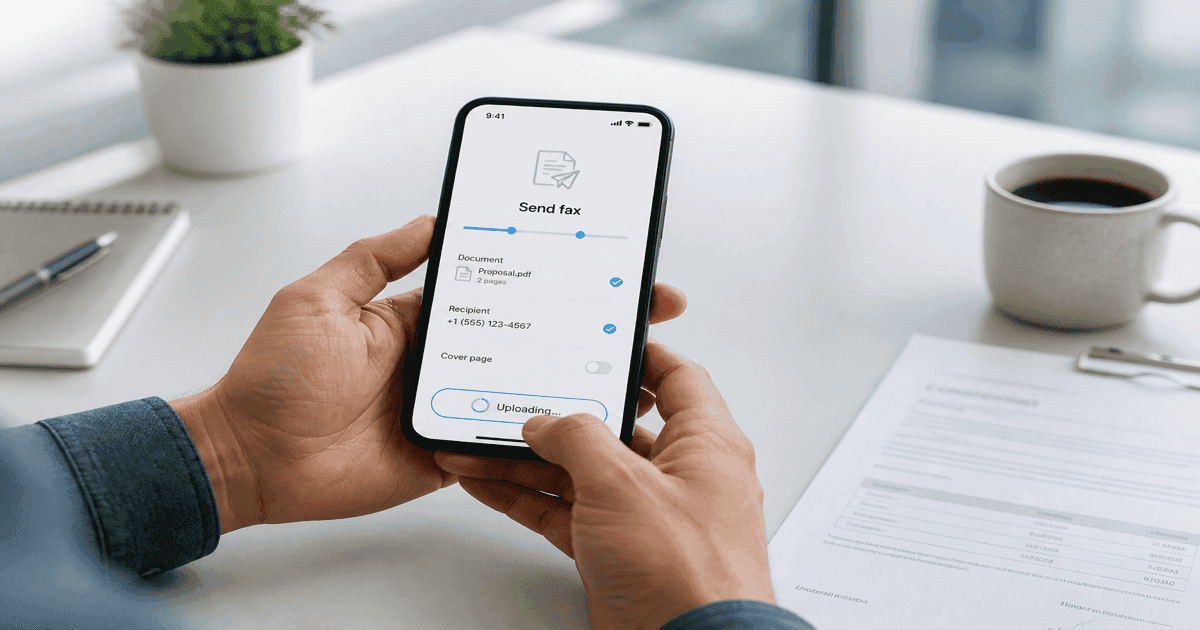
Quick answer: You can fax from iPhone or Android without a fax app—open Safari or Chrome, go to ronfax.com, upload a PDF or photo, enter the 10-digit fax number, and pay once ($1.99 up to 3 pages). No App Store download, no landline, no store trip.
Your phone already has a camera, Files/Photos, and a browser. The missing piece is a fax line—that is what online fax replaces.
Why skip the fax app?
Less friction — No account harvest or yearly plan upsell inside the App Store funnel. Open the site, upload, send.
Privacy signal — Many fax apps request contacts and notifications. A browser workflow stays one tap from your document and checkout.
Same network — Retail counters and apps ultimately dial a fax modem. RonFax routes your file after payment—your phone never needs its own modem.
Fax from iPhone (Safari) without an app
- Prepare the file — Save as PDF, or take a straight photo of paper. Trim edges in Photos if helpful.
- Open RonFax — Safari → ronfax.com/#send.
- Enter the fax number — 10-digit US or Canada destination.
- Upload — PDF or images; multiple files merge into one send.
- Pay once — Complete checkout; bookmark the status URL (also emailed).
Works on Wi-Fi or cellular as long as the upload finishes.
Fax from Android (Chrome) without an app
Same flow in Chrome: save the PDF to Downloads or Drive, open RonFax, attach, pay once. Giant email threads are unnecessary—one PDF, one fax number.
Scan paper on your phone, then fax
No scanner? Use Notes (iPhone) or a Drive scan (Android) to make a PDF, then upload on RonFax. Tips: How to fax photos without a scanner.
Tips that prevent retries
Resolution — Crisp dark text on white beats colorful photos of screens.
File type — Export Word to PDF before upload.
Number check — Confirm the fax line with the office or portal. Busy and wrong numbers still happen on the phone network.
Failed send? — Busy, no tone, or call dropped.
Related guides
No fax app on your home screen—just the browser you already trust and one pay-as-you-go send.
Frequently asked questions
- Do I need to install a fax app on my phone?
- No. RonFax works in Safari, Chrome, or any modern mobile browser. Upload your document, enter the destination fax number, and complete secure checkout—nothing from the App Store or Play Store.
- Can I fax from iPhone without a fax machine?
- Yes. Your phone only needs internet and a PDF or clear photo. RonFax dials the recipient’s fax line over the telephone network.
- Can I fax a photo I took with my camera?
- Yes. PDF is ideal, but clear JPG or PNG photos of documents work. Avoid heavy shadows and blurry text when possible.
- Does this work on Android as well as iPhone?
- Yes. Chrome on Android uses the same upload → number → pay-once flow as Safari on iPhone.
Send from anywhere in the US
Ready to skip the store line? Fax your PDF in minutes—no hardware subscription.
Start Faxing Now - No Account Required