RonFax Blog
How to Send a Fax from Gmail (No Fax Machine, 2026 Guide)
RonFax Editorial · Online fax guides & destination research ·
Send a fax online from Gmail: email PDF to fax@ronfax.com or upload in the browser. Works on phone and computer—no plugin, no fax machine.
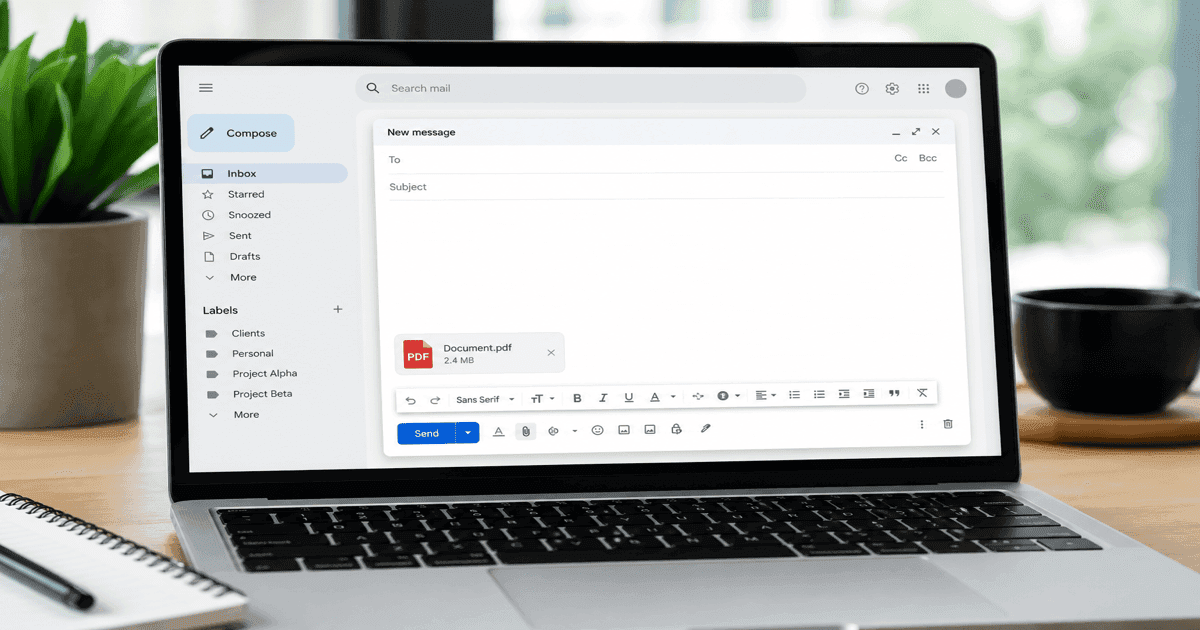
Quick answer: Gmail has no built-in fax dialer, but you can send a fax from Gmail two ways: email your PDF to fax@ronfax.com (fax number in the Subject), or upload at ronfax.com while signed into Google. Both send a real fax—no plugin, no machine.
HIPAA / PHI notice: Do not use Gmail email-to-fax for patient records, medical forms, insurance information, or other protected health information. The email provider and inbound forwarding layer handle the message before RonFax receives it. For sensitive documents, use the browser upload flow instead, subject to your organization’s approval and applicable vendor agreements.
Method 1 — Email-to-fax (best if you live in Gmail)
- Attach your PDF or clear photo (saved as PDF)
- To:
fax@ronfax.com - Subject: the 10-digit US or Canada fax number (example:
5551234567) - Send like any email
- Open the payment link in RonFax’s auto-reply
- Complete checkout—we fax your attachment and email updates
Full walkthrough: Email-to-fax for Gmail & Outlook.
Method 2 — Browser upload (best for large PDFs)
- Open ronfax.com/#send (works while signed into Google)
- Enter destination fax number
- Upload from Google Drive or local files
- Pay once—see price before checkout
Gmail on iPhone vs Android
| Device | Tip |
|---|---|
| iPhone Gmail app | Share PDF → Mail → or use RonFax in Safari |
| Android Gmail | Attach from Drive; or Chrome → ronfax.com |
| Desktop Gmail | Drag PDF into compose for email-to-fax |
“Can I send a fax from my Gmail” — common mistakes
- Wrong Subject — Must contain the 10-digit fax number for plain
fax@sends - Word docs — Save as PDF first
- Missing payment step — Email only starts the job; you must complete the secure link
Gmail fax vs store fax
Searching send a fax from gmail beats driving to fax near me retail counters when your file is already in Google Drive.
Quick tools — agency fax guides
Sending to a specific institution? Use our pre-filled guides: Fax to Merrill Edge, Fax to Equifax, Fax to IRS Form SS-4, and SEC EDGAR support.
Gmail holds the file; RonFax dials the fax machine.
Frequently asked questions
- Can I send a fax directly from Gmail?
- Gmail does not dial fax machines by itself. RonFax email-to-fax lets you attach a PDF to fax@ronfax.com with the destination number in the Subject—you receive a payment link, then we transmit over the fax network.
- Can I send a PDF fax online from Gmail?
- Yes. Attach the PDF to fax@ronfax.com (10-digit fax number in the Subject) or upload the same PDF at ronfax.com while signed into Google.
- Do I need a Gmail plugin or extension?
- No plugin required for RonFax email-to-fax. Alternatively, open ronfax.com in Chrome while logged into Google—upload and pay in the browser.
- Can I send a fax from Gmail on my phone?
- Yes. Use the Gmail app to email fax@ronfax.com with your PDF attached, or open ronfax.com in mobile Safari/Chrome and upload from Files or Google Drive.
- Is Gmail email-to-fax suitable for HIPAA documents?
- No. Do not send PHI or medical records through email-to-fax. Use the browser upload flow only after confirming the required HIPAA agreements and controls for your organization.
Send from anywhere in the US
Ready to skip the store line? Fax your PDF in minutes—no hardware subscription.
Start Faxing Now - No Account Required